


How to Know If Someone Screenshots Your Instagram Story
Wondering if Instagram notifies story screenshots? Learn what Instagram shows, what it doesn’t, and how to protect your story privacy.
Table of Contents
The short answer is you can’t tell if someone screenshots your stories on Instagram.
Instagram does not notify users when someone screenshots their stories, feed posts, reels, profiles, or live streams. This applies to public stories, private accounts, and close friends' stories.
So if you really want to know if someone screenshots your Instagram story, you’ll have to ask them. Point blank. “Did you screenshot my Instagram story?”
When Does Instagram Notify Screenshot Activity?
There’s only one exception where Instagram provides screenshot notifications: Disappearing photos or videos sent via Instagram DMs. These are photos or videos sent using the camera icon in DMs. If the recipient screenshots them, you’ll see a star-like icon next to the message. Outside of disappearing DMs, Instagram offers no screenshot alerts.
Why Do People Screenshot Instagram Stories?
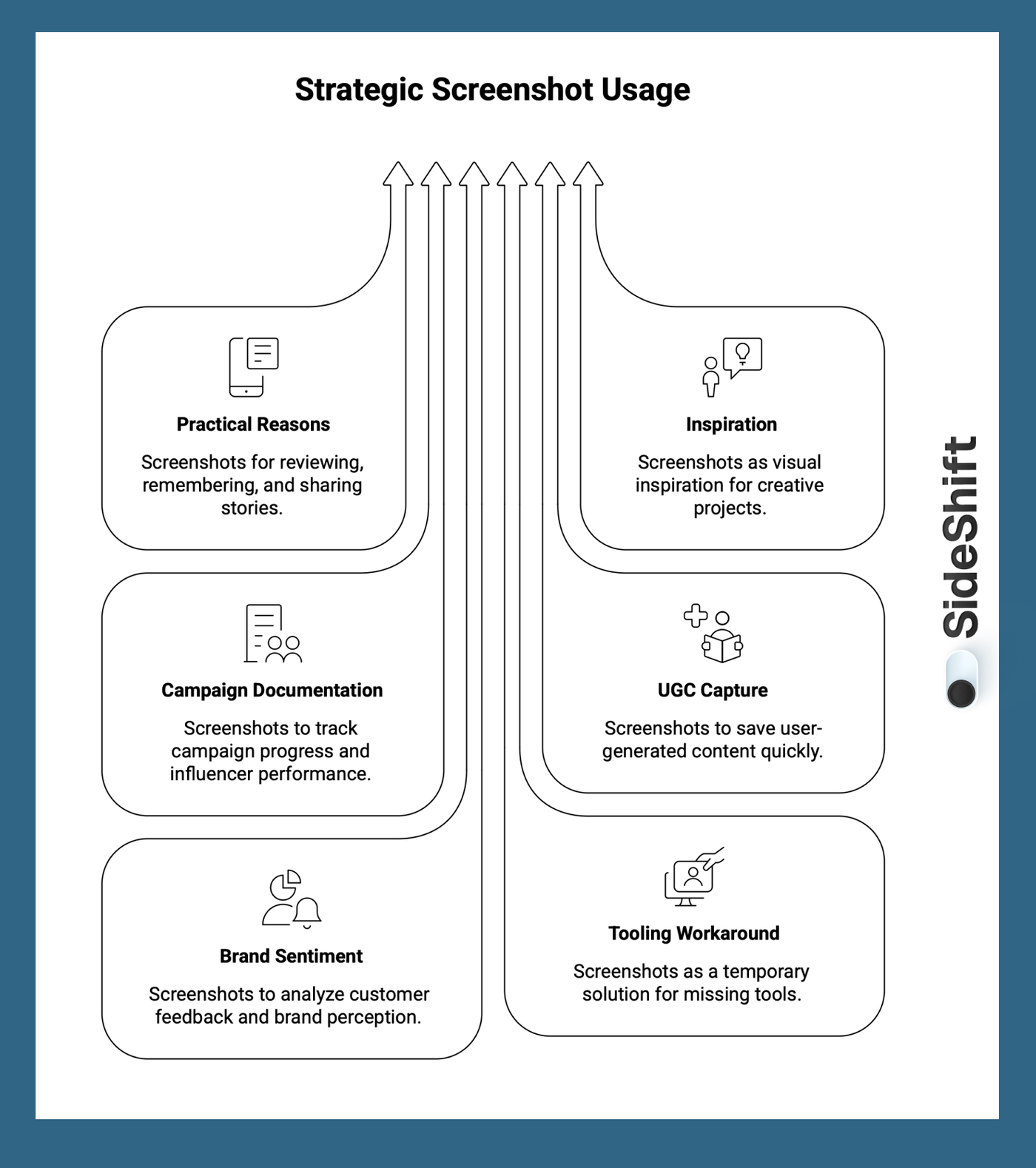
Most individual Instagram users screenshot stories for practical, moment-driven reasons, not anything malicious.
- To slow down ephemeral content - Stories move fast. Screenshots let users review something without holding the screen or worrying about it disappearing.
- To zoom or read details - Instagram Stories don’t support native zoom. Screenshots allow users to zoom in on text, product details, or visuals.
- To remember something later - Event info, restaurant names, workouts, book titles, or links often get saved via screenshots as a digital reminder.
- To share privately - Screenshots make it easy to send content to friends who don’t follow the account, aren’t on Instagram, or prefer private messages.
- To keep inspiration - Style ideas, quotes, travel spots, or creative references are often saved via screenshots instead of bookmarks.
Brands, Marketers, and Social Media Teams are usually screenshotting content for operational purposes.
- To document campaign activity - Teams screenshot Stories to log influencer posts, brand mentions, and campaign timelines, especially when Stories expire after 24 hours.
- To track influencer deliverables - Screenshots act as proof that a creator posted on time and met campaign requirements.
- To capture UGC before it disappears - When content isn’t delivered directly, screenshots feel like the fastest way to “save” user-generated content.
- To monitor brand sentiment - Stories often contain unfiltered reactions, testimonials, or product shoutouts that brands want to analyze later.
- To repurpose across channels - Screenshots are sometimes used to move content from Instagram to TikTok, email, internal decks, or ads despite quality and rights issues.
- To fill gaps in tooling - When teams don’t have proper UGC or creator management systems, screenshots become a workaround for missing infrastructure.
How To Manage Your Privacy On Instagram
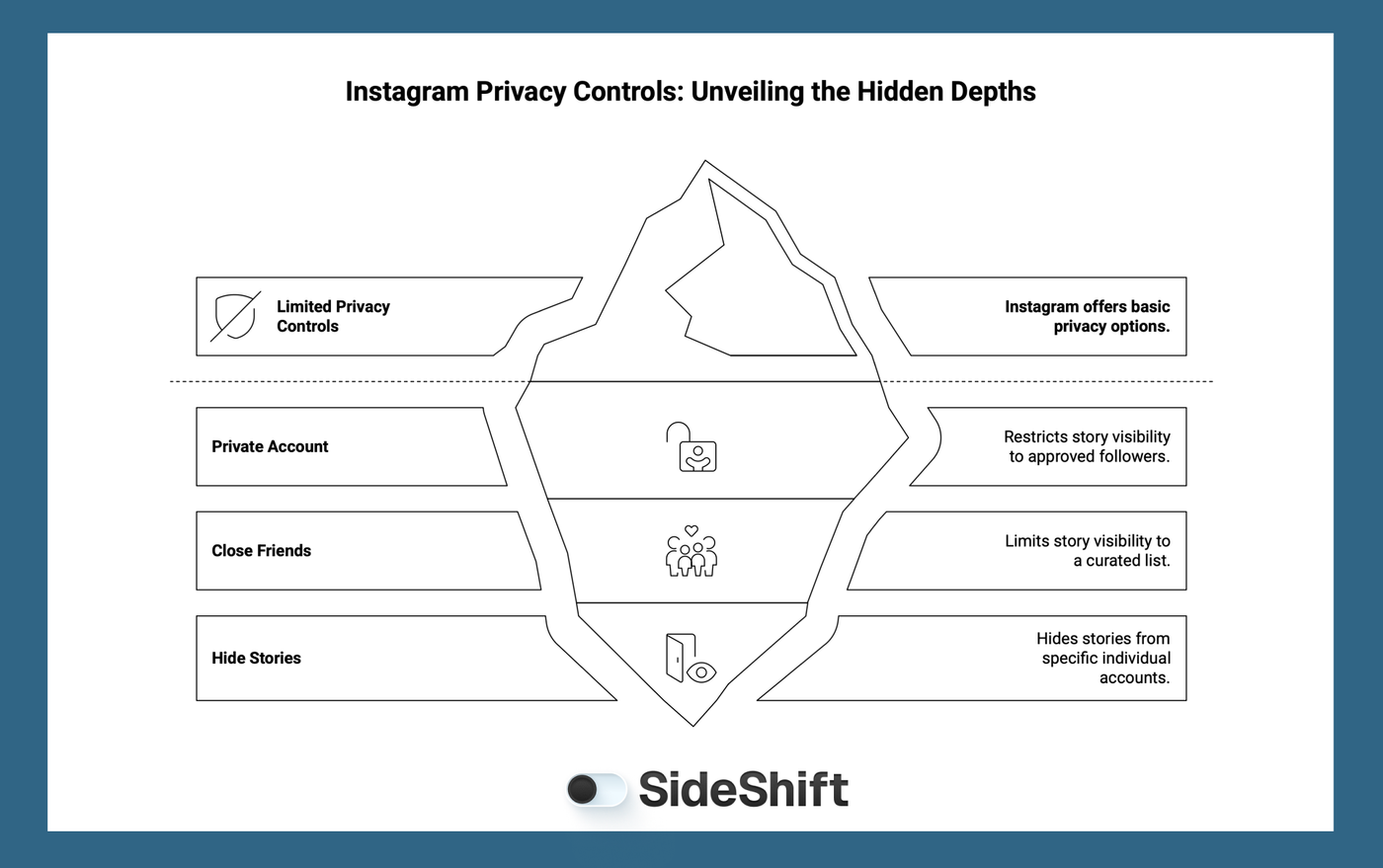
If you’re uncomfortable with your stories or any content being saved without your knowledge, Instagram gives you limited but effective controls.
1. Make Your Account Private
A private account limits story visibility to approved followers only. This reduces exposure but isn’t practical for creators or influencers. Many creators have separate accounts (public vs. personal) to maintain boundaries.
2. Use Close Friends Strategically
Close friends' stories limit visibility to a curated list. This can be useful for personal content and reduces audience size, but it’s not a guarantee against screenshots.
Want to put this into practice?
SideShift connects you with vetted UGC creators who actually deliver. Start your free trial and post your first job in under 10 minutes.
3. Hide Stories From Specific Users
You can hide Stories from individual accounts without blocking them. This solution is helpful for workplace boundaries or temporary privacy. It’s easy to toggle on and off. Instagram gives you visibility control, but still no screenshot control.
How To Capture and Repurpose Instagram Stories
Taking a screenshot is one way to save Instagram content, but it’s not the best option, especially for brands or creators who want to reuse content legally and at high quality.
The bigger issue is that Instagram doesn’t offer a native way to save stories, so many people default to screenshots or third-party repost apps. Some users also rely on third-party tools to track followers, get screenshot notifications, see who saved or shared their content, or even detect who has been viewing their profile. These tools are often unreliable, and honestly, you don’t need that information to grow or protect your content.
The bottom line is you can’t legally reuse someone else’s content without their permission.
If you’re a brand looking to repost UGC, or a creator whose content might be reused, screenshots aren’t a reliable solution. They reduce quality, remove context, and create legal risk.
Instead, the better approach is to ask for permission and request the original high-quality file directly from the creator. That way, you keep the content clean, legal, and reusable across platforms.
The Better Way: Licensed UGC Through SideShift
Platforms like SideShift connect UGC creators with brand opportunities and make it easy for brands to source fully licensed content without relying on screenshots or sketchy third-party tools. SideShift handles the workflow, payments, and approvals so everyone stays protected and creators get paid for their work.
Want to capture and repurpose user-generated content the right way? Join SideShift for free and connect with brands, submit original content, and secure licensed UGC for cross-platform promotion - no screenshots required.
FAQs
1. Does Instagram notify you when someone screenshots your Story?
No. Instagram does not notify users when someone screenshots their Stories.
2. Can I see who screenshots my Instagram Story?
No. You can see who viewed your Story, but not who took a screenshot.
3. When does Instagram notify screenshot activity?
Only for disappearing photos or videos sent in DMs. A star-like icon appears next to the message if someone screenshots it.
4. Can brands repost Instagram Stories without permission?
No. Reposting someone else’s content without permission can lead to legal issues and copyright violations.
5. What’s the safest way to repurpose Instagram Stories?
The safest and most scalable way is to ask the creator for permission and request the original file. Screenshots reduce quality and don’t prove ownership or usage rights, which can lead to legal issues. If you’re a brand that regularly repurposes stories or is on the hunt for UGC, a better approach is to use a creator platform like SideShift.