
Your Guide to Instagram Content Creators
Learn what Instagram creators actually do, how to choose the right ones, and how to build content that performs according to your goals.
Table of Contents
Instagram content creators have become an important part of how brands build content that people actually stop to watch. Meta’s research shows the demand for this type of content is strong: 86% of consumers would purchase, try, or recommend a product when content is personal, rather than polished.
This guide breaks down who these creators are, how they work, and what brands should know before collaborating with them.
What is an Instagram creator?
An Instagram creator refers to someone who makes Instagram-focused, UGC-style content for brands. They aren’t hired for their followers. They’re hired because they know how to translate a brand’s message into something that feels human and easy to watch. They're not necessarily influencers.
A good Instagram creator understands how the platform behaves: how fast Reels need to move, what hooks stop people from scrolling, how to frame a product cleanly, and how to keep the tone casual so the content blends into the feed.
For example, Marks & Spencer used creator-made videos to refresh how their products showed up on Instagram.
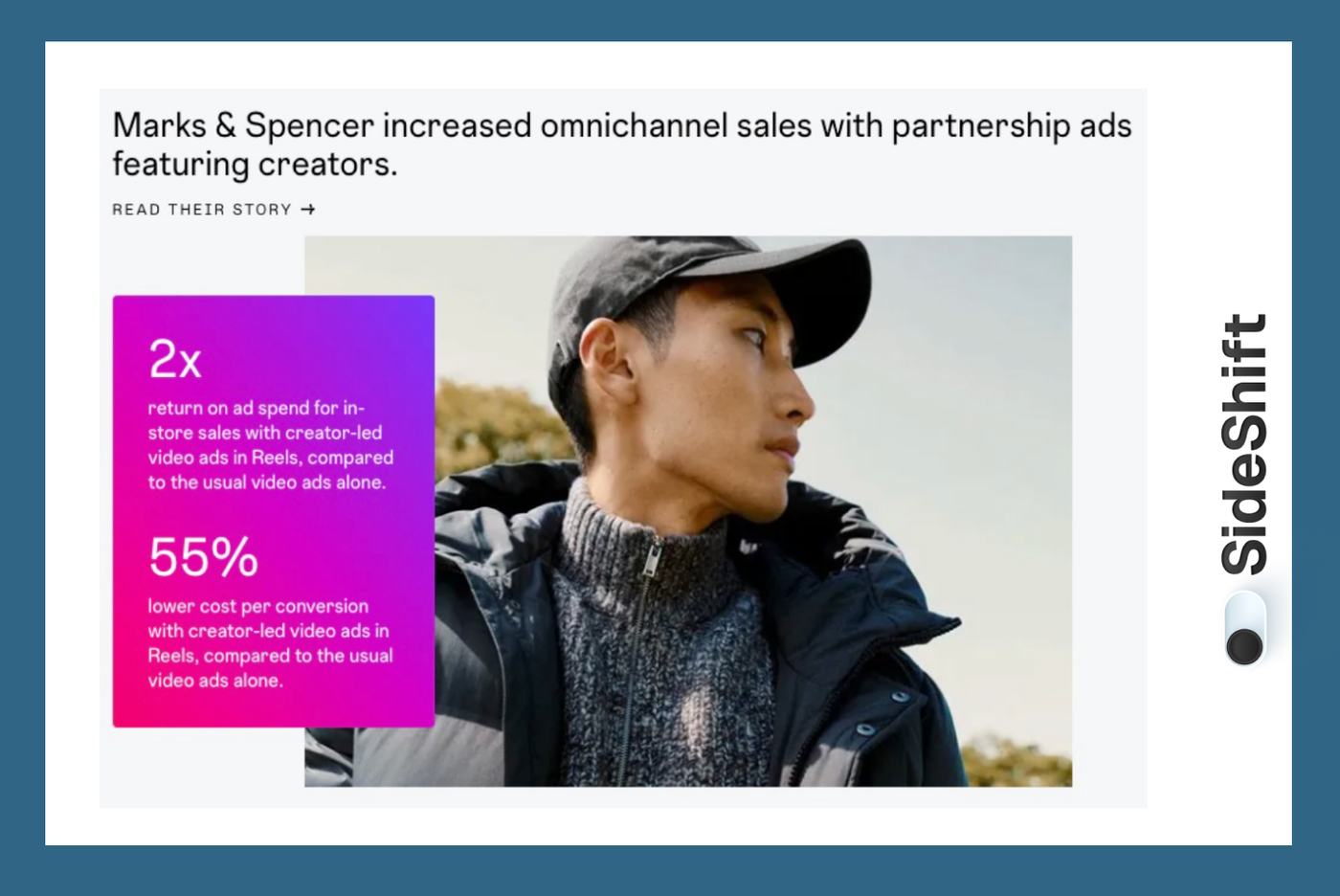
Instead of relying on polished studio shots, they worked with everyday creators who filmed simple, real-life clips that felt closer to how customers actually dress and shop. Those creator-led videos outperformed their usual assets by lowering cost per conversion because the content looked familiar, not staged.
How to hire Instagram content creators the right way
Follow the steps given below to save time, filter out bad fits early, and get you better content without the usual back-and-forth.
Step 1: Decide the exact content you want
Before you look for creators, write down exactly what you want them to make. Think of it like creating a short job requirement, but for a single piece of content. Instagram moves fast, so the clearer you are upfront, the easier it becomes to match with the right creator.
Start with the basics:
- What the video should show: For example, a 10-second Reel showing how your serum absorbs, or a quick walkthrough of a budgeting app’s home screen. If a creator is filming longer vertical video instead of a quick Reel, our IGTV dimensions guide covers the ideal sizes to request.
- What needs to be demonstrated: Maybe it’s texture, a key feature, a transformation, or a simple before/after. List the non-negotiables.
- Where the product lives naturally: If it’s skincare, you might want a bathroom or natural light. If it’s a kitchen tool, you probably want it filmed while cooking. Small details like this help creators plan realistically.
- The feeling you want the viewer to get: Calm. Practical. Playful. Reassuring. Pick one word. It helps creators choose tone without guessing.
- Any must-avoid moments: Claims you can’t make, ingredients you shouldn’t mention, competitor comparisons you don’t want.
Then, using this info, write a clear creator brief.
Here's a great example. It uses a fun cover image to spark interest and a short, direct description so creators know exactly what they’d be making 👇
By writing this down like a short application — “We need X video that shows Y in Z environment” — you give creators a clear idea of the output you want.
Want to put this into practice?
SideShift connects you with vetted UGC creators who actually deliver. Start your free trial and post your first job in under 10 minutes.
Step 2: Decide on your pricing structure
Before you contact creators, figure out how you want to pay for the content. Here are the most common options brands use on Instagram:
- Fixed payment: A flat fee per video or per batch. Simple, predictable, and ideal when you know exactly what you want produced.
- Pay per post or asset: One rate for a Reel, another for Stories, another for raw clips. Good when you’re building a mix of formats.
- Performance-based (rare for UGC): Some brands tie bonuses to views or conversions. Not every creator agrees to this, so treat it as optional.
- Mixed model: A base payment plus a small performance bonus. Useful when you want predictable costs but still reward strong results.
Fixed payment is the most common because it keeps expectations clear for both sides.
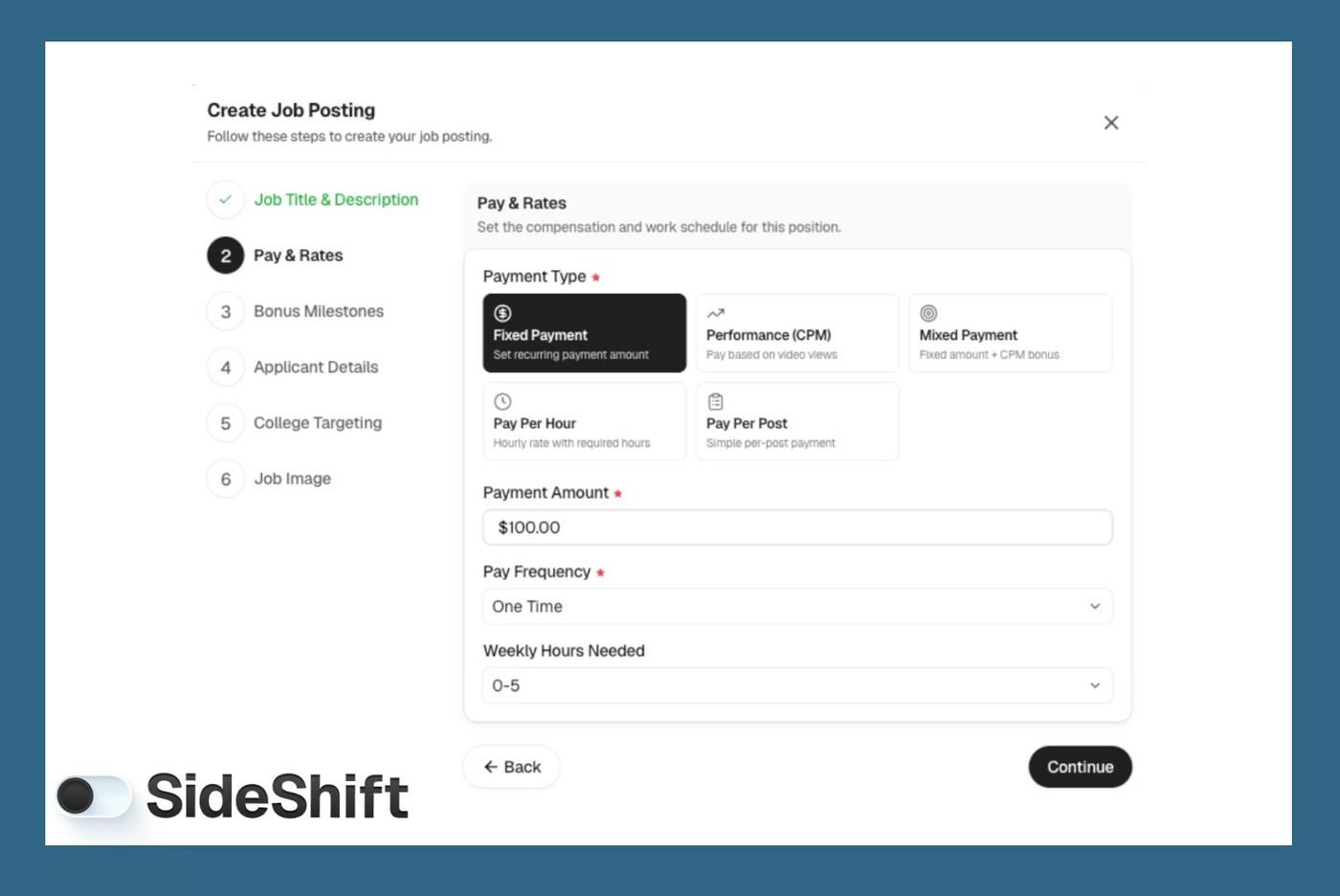
If you're using SideShift to collaborate with creators, these options are built into the requirement posting flow.
You select your payment type, set the amount, and creators see everything upfront. That reduces back-and-forth and helps you attract applicants who already agree with your budget.
Step 3: Find Instagram content creators
There are two ways to find UGC creators for Instagram: using a platform built for creator hiring, or doing the search manually.
If you want a faster option:
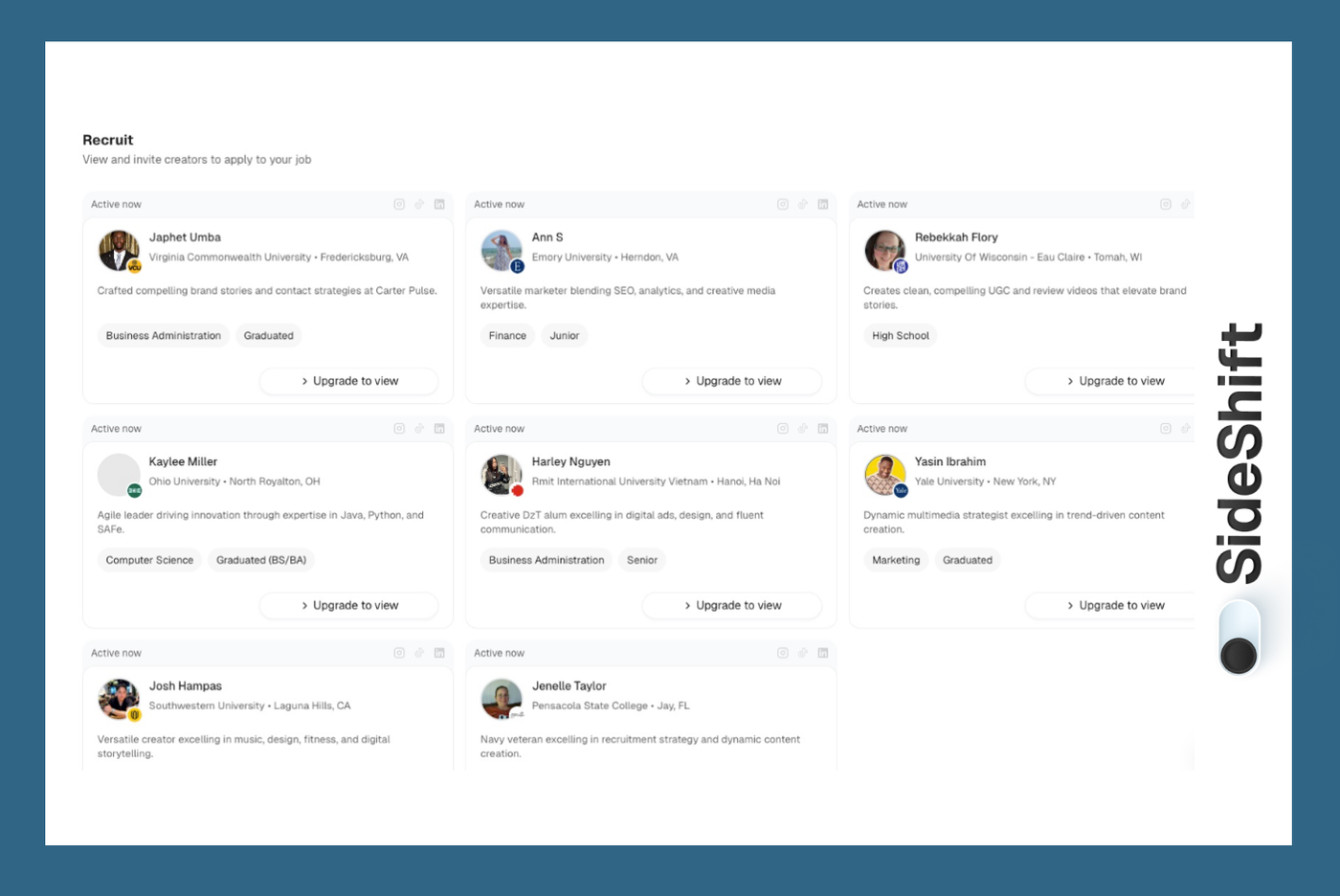
Platforms like SideShift put creators in one place, so you don’t have to scroll through random profiles. You can browse portfolios or filter by category. It’s straightforward when you want to compare creators side-by-side instead of jumping between apps or chasing replies.
Here are all the details you see when you open a creator's profile:
If you prefer searching manually:
- Instagram search: Browse Reels in your niche and check profiles of people already creating similar content.
- Hashtags: Look at tags like #ugccreator, #ugcvideos, or product-specific ones like #skincareroutine or #workfromhomeideas.
- Creator communities and Facebook Groups: Share your brief in UGC groups to get direct applicants.
- Your own audience: Add a note in Stories or your newsletter inviting creators to collaborate.
Pay attention to how they open their videos, how they frame a product, and whether their style fits your category.
A creator who naturally films in bright, simple settings will suit skincare or wellness. Someone who uses screen recordings confidently will fit SaaS or productivity tools. These small cues tell you more about fit than any portfolio headline.
Step 4: Reach out to creators
Once you’ve found a few creators, contact them through the channel they’re most likely to see.
Start by checking their Instagram bio — most creators list an email there. If they do, email is usually the safest option because DMs from brands get buried quickly, especially if the creator has a busy inbox.
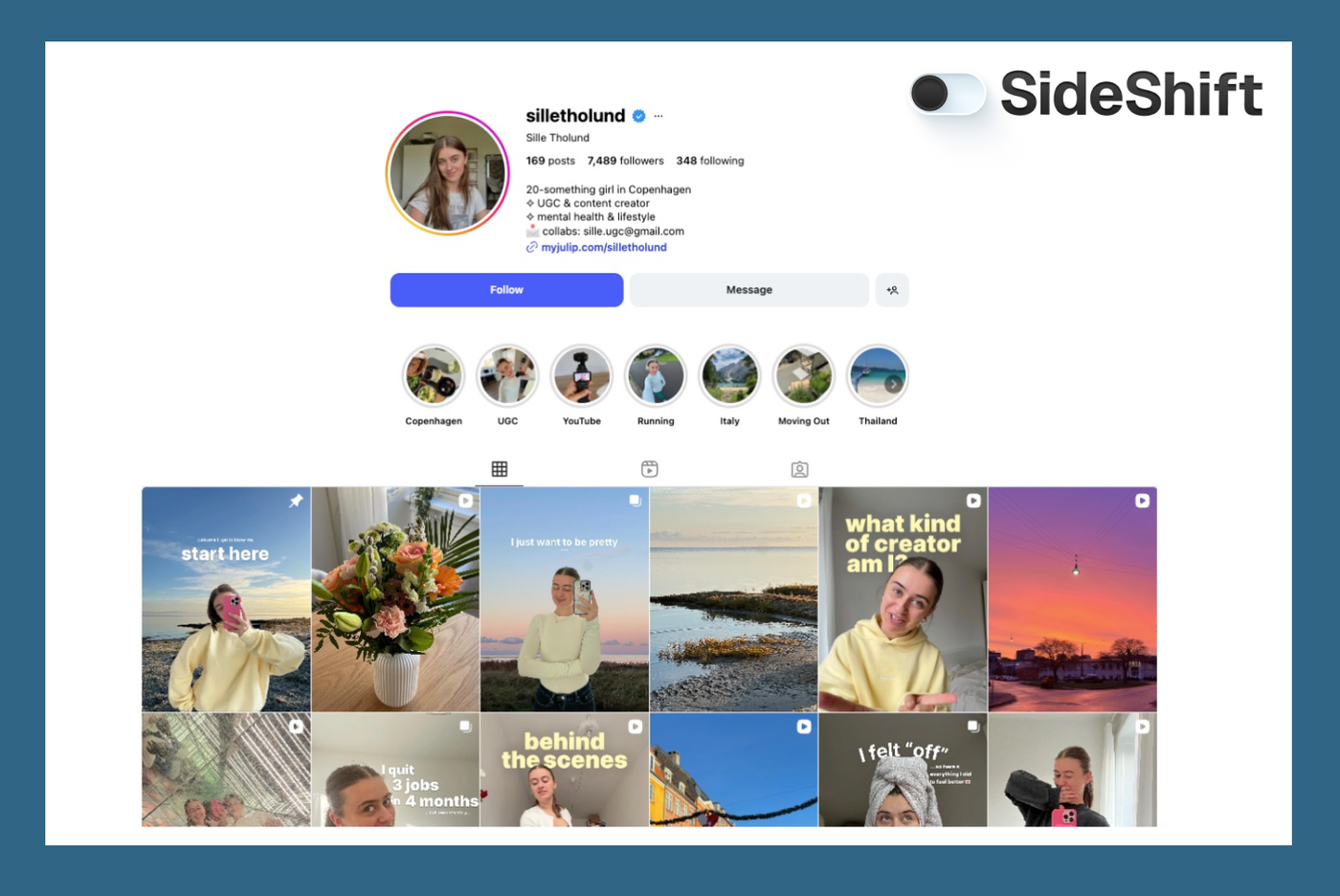
If there’s no email listed, send a DM. Keep it short, clear, and specific about what you want them to create. Creators respond faster when the message isn’t vague or open-ended.
Want to put this into practice?
SideShift connects you with vetted UGC creators who actually deliver. Start your free trial and post your first job in under 10 minutes.
For creators with bigger profiles, assume your DM might never surface. A quick follow-up via email (if available) increases your chances of getting a reply.
Here's a message template you can use:
“Hey [Name], saw your Reels and liked your work, especially the one about [specific video].
I’m looking for a creator to film a short video for my brand. Would you be interested?”
Step 5: Lock in the final details before they start
When a creator agrees to work with you, do one quick round of alignment so nothing gets messy later. This isn’t a long negotiation — you’re just making sure both sides know exactly what’s being made, what it costs, and when it will be delivered.
Here are the things worth confirming:
- Spell out the exact deliverable — one Reel, a Reel plus raw clips, or a set of Stories. The clearer this is, the fewer surprises later.
- The final price, broken down by project phases or deliverables.
- Set a realistic due date based on their schedule and yours. Creators work faster when timelines are firm and communicated upfront.
- How you plan to use the content (organic, ads, website, etc.)
- Product access or shipping details
Put all requirements, must-have moments, and tone notes in a single, organized message. Scattered instructions create confusion.
A simpler way to hire and manage Instagram creators
Most teams piece their creator process together with spreadsheets, scattered DMs, saved posts, and loose notes. It works for a couple of creators, but once you start handling more projects, the whole system gets messy.
Things slip through the cracks, feedback lives in five different places, and you spend more time keeping track of everything than getting content delivered.
SideShift brings all of this into one clean workflow.
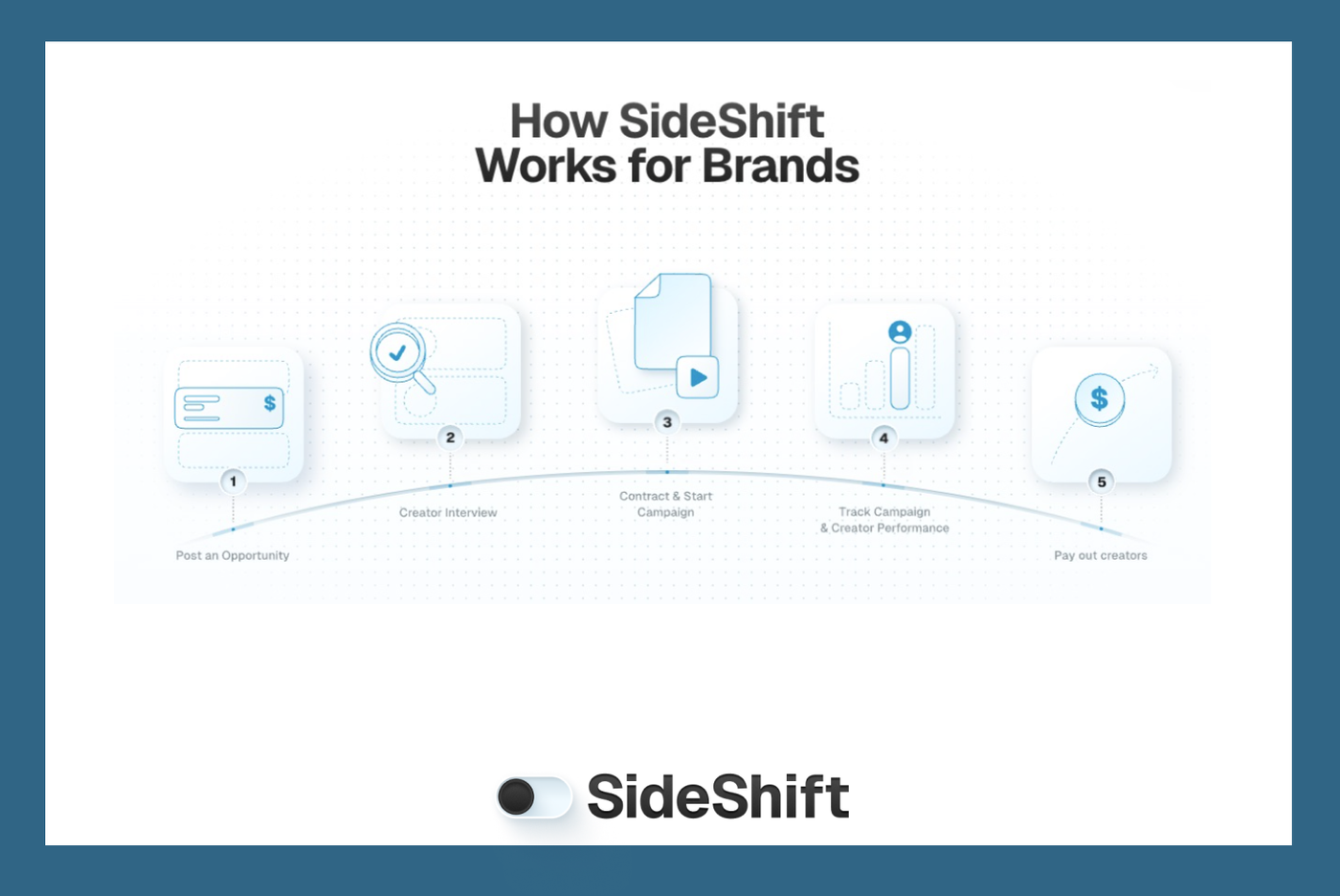
Instead of juggling tools, you can:
- View creator profiles, past work, and categories in one place
- Post your brief once and get relevant applicants without searching
- Keep deliverables, communication, and updates together
- Handle payments without jumping between apps
- See your creator roster and campaigns without sorting through files
…all in one place.
We have a pool of 500K+ creators, and companies like Brex, GPTZero, and Amo are already using SideShift for their creator content needs.
Join SideShift, and see the difference for yourself→
FAQs
1.What does an Instagram content creator actually do? Instagram creators produce photos, videos, Reels, and Stories tailored to engage a specific audience. Many also handle editing, trend research, and community management.
2. Do you need professional equipment to create content on Instagram? Not at all. A modern smartphone, good lighting, and a consistent editing style are enough for most creators to get started.
3. How often should Instagram creators post to grow? Most creators find success posting 3–5 times per week. What matters most is consistency and matching your content to what your audience wants.
4. Can Instagram creators make money without a massive following? Yes. Micro-creators often earn through collaborations, UGC creation, affiliate links, and commissioned content — not just follower count.
Want to put this into practice?
SideShift connects you with vetted UGC creators who actually deliver. Start your free trial and post your first job in under 10 minutes.
5. What niche works best for Instagram creators? Any niche can work if the creator brings a clear style or expertise. Popular niches include beauty, fitness, lifestyle, fashion, and food.