


How to Repost a Story on Instagram (Step-by-Step)
Learn how to repost a story on Instagram, including tagged and untagged stories, plus fixes if the repost option isn’t showing.
Table of Contents
If you were tagged in an Instagram story, reposting is easy.
- Open the story where you’re tagged
- Tap the “Add to Story” button
The story you’ve been tagged in will also appear in your DMs. You can tap the “Add to Story” button here as well.
How To Repost An Instagram Story Without Being Tagged?
If you weren’t tagged, reposting isn’t automatic, but fret not, you still have options.
Option 1: Ask Them to Tag You
DM the person and ask them to tag you so you can repost using the “Add to Story” option.
This only works while the story is live (24 hours). Once it expires, you lose access.
Option 2: Screenshot the Story (Use with Caution)
You can screenshot the story and repost it, but this can be risky without permission.
Screenshots for personal keepsakes are harmless, but reposting someone else’s content can create copyright and licensing issues, especially for brands.
Best practice is to always ask the content owner for permission before reposting.
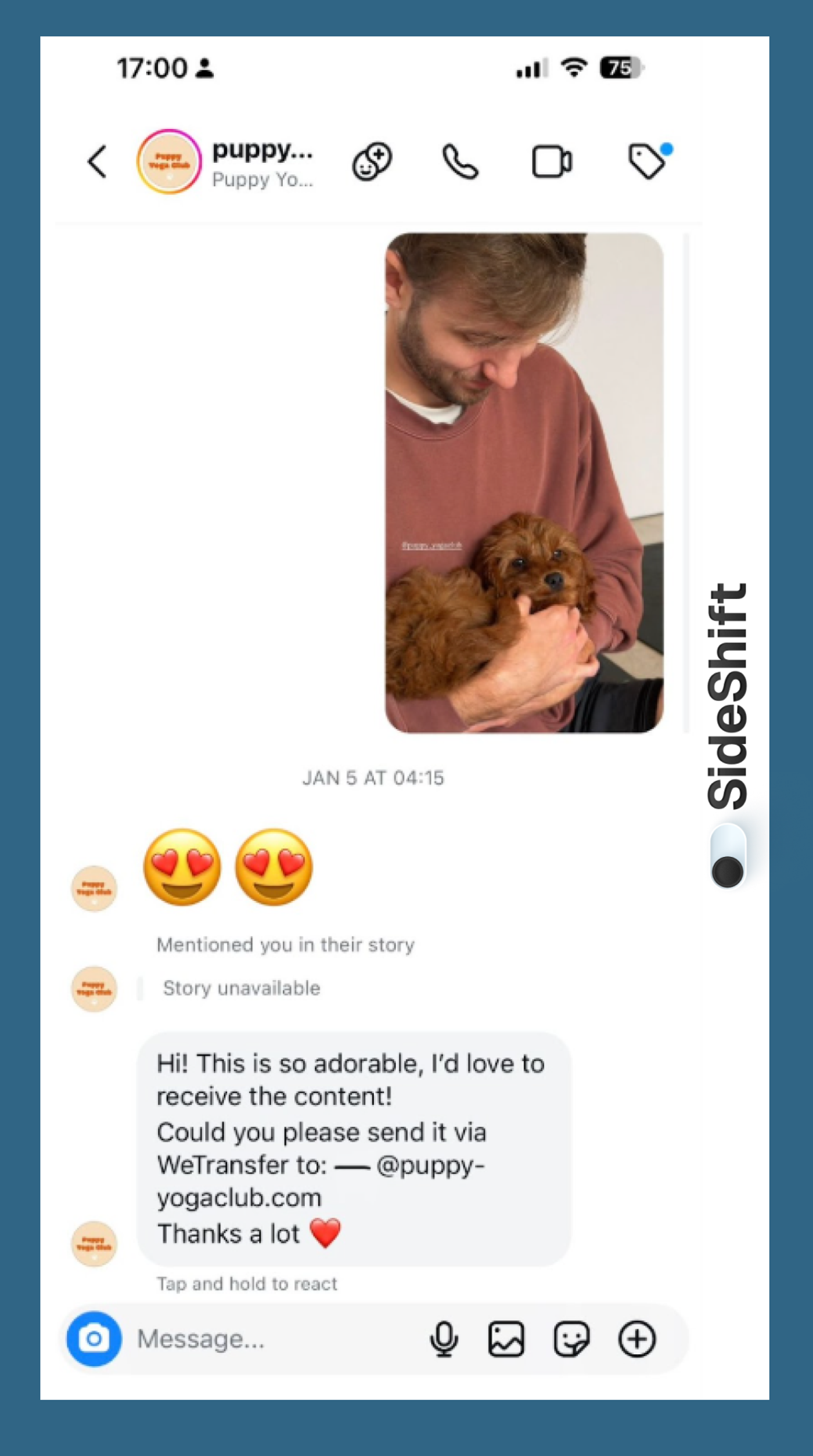
Option 3: Request the Original Photo or Video
The safest way to repost a Story is to ask the creator or influencer for the original file and permission to reuse it, especially if you plan to use it for marketing purposes beyond a simple repost.
Example:
Puppy Yoga Club is tagged in hundreds of Instagram Stories across all of their events. The events are naturally rich with user-generated content because people love sharing cute photos and videos of the puppies and the overall experience. This is one of the biggest advantages of UGC for experiential marketing and IRL brand activations. It’s real-world experience translating into earned media value, organic reach, and authentic brand storytelling.
Their event UGC is incredibly valuable, but not every customer is comfortable with their content being used beyond their own original Story or a repost.
If Puppy Yoga Club wants to use the videos or images from a customer’s story for future brand-owned content or any advertising/promotion initiatives, they’ll need:
- Explicit permission from the creator
- The original high-resolution photo or video file (not a screenshot)
- Clarity on how the content will be used (stories, ads, TikTok, website, etc.)
Reposting a screenshot or downloading someone else’s Story without permission can lead to:
- Copyright issues
- Legal risk
- Brand reputation problems
- Potential backlash from customers
A simple DM is often enough. This approach makes the creator feel respected and gives your brand a clean, documented path to reuse the content.
Option 4: Third-Party Repost Apps
There are third-party apps that claim to repost Stories, but they’re often sketchy, ad-heavy, and unreliable. They can also violate Instagram’s terms of service. We do not recommend using third-party apps for reposting content you haven’t been tagged in, but they exist nonetheless.
Reposting Other Content to Your Instagram Story
You can also repost other types of content (i.e., reels and grid posts) to your Story even if you’re not tagged.
To do this:
- Tap the paper airplane share icon on the bottom right of a post or Reel
Want to put this into practice?
SideShift connects you with vetted UGC creators who actually deliver. Start your free trial and post your first job in under 10 minutes.
- Select Add to Story instead of sending it via DM
- Customize your Story and publish
This method works for posts and Reels, but it still doesn’t replace the need for permission if you plan to reuse someone else’s content beyond a simple Story share.

Repost UGC Confidently With SideShift
If you’re a brand or creator looking to scale your content without relying on screenshots or risky third-party tools, SideShift is a better option to manage UGC between creators and brands.
SideShift is a UGC creator marketplace that connects creators with brands, making it easy to collaborate, share licensed content, and reach larger audiences. Creators get paid for their work, and brands get high-quality content that’s ready to repost and reuse across platforms.
Start your free trial with SideShift today to find creators, submit content, and build a scalable UGC strategy.
FAQs
1. Can I repost a Story if I’m not tagged?
Yes, but you need permission from the creator or the original content. Screenshots are risky, and third-party apps can be unreliable.
2. How do I repost a Story I’m tagged in?
Open the Story, tap “Add to Story,” then customize and post.
3. Why can’t I repost someone’s Story?
If you’re not tagged, Instagram won’t show the option. You must be tagged or use another method with permission.
4. Is it legal to repost someone’s Story without permission?
No. Reposting without permission can violate copyright and Instagram’s terms of service.
5. What’s the best way to repost UGC from Instagram?
Ask the creator for the original file and permission, or use a platform like SideShift to manage licensed UGC.