
IGTV Dimensions: The Best Sizes for Video Uploads
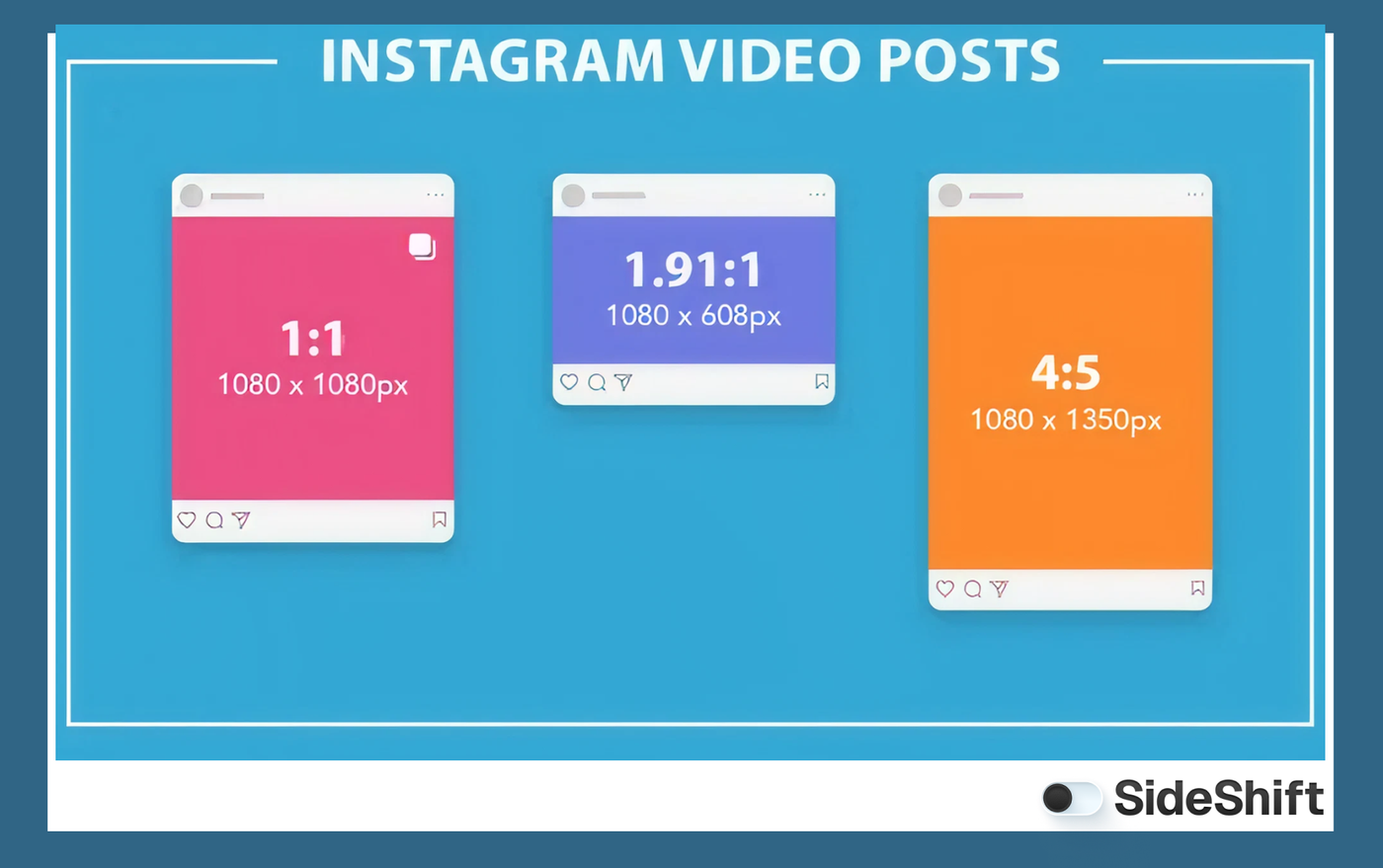
IGTV dimensions are 1080×1920 for vertical video and 1920×1080 for horizontal. Use the correct aspect ratio and resolution for best playback quality.
Table of Contents
IGTV, first launched in 2018 as a long-form video platform built for vertical viewing, was shut down by Instagram in 2022 after failing to gain traction.
Over time, Instagram shifted its focus toward Reels, and IGTV content was eventually consolidated into Instagram Video.
In 2026, Instagram is moving back toward content designed for TV-style viewing and larger screens, which has brought renewed attention to IGTV specs and upload requirements.
Is IGTV Making a Comeback?
Instagram is launching an Instagram Reels for TV app. This TV app isn’t a direct revival of IGTV. Instead, the platform is testing a new TV-first experience that emphasizes Reels on big-screen viewing. In other words, IG for TV in 2026 is not a reboot of the old 2018 IGTV format; it’s a new way to extend Instagram’s most popular video format into living rooms.
The new TV experience is built around Reels because they remain one of Instagram’s strongest engagement drivers and sources of ad revenue.
Unlike the typical mobile-first Instagram layout, the TV version is designed for a simple, remote-friendly interface. It’s closer to what viewers expect from streaming platforms, with content organized into channels and easy browsing.
The intent is to make watching Reels feel more communal and social, especially when people are watching together in a living room setting.
The TV app is still in early testing and only available on select devices and in select markets. But Instagram is gradually expanding access as it evaluates how Reels and videos perform on bigger screens.
What Are IGTV Dimensions?
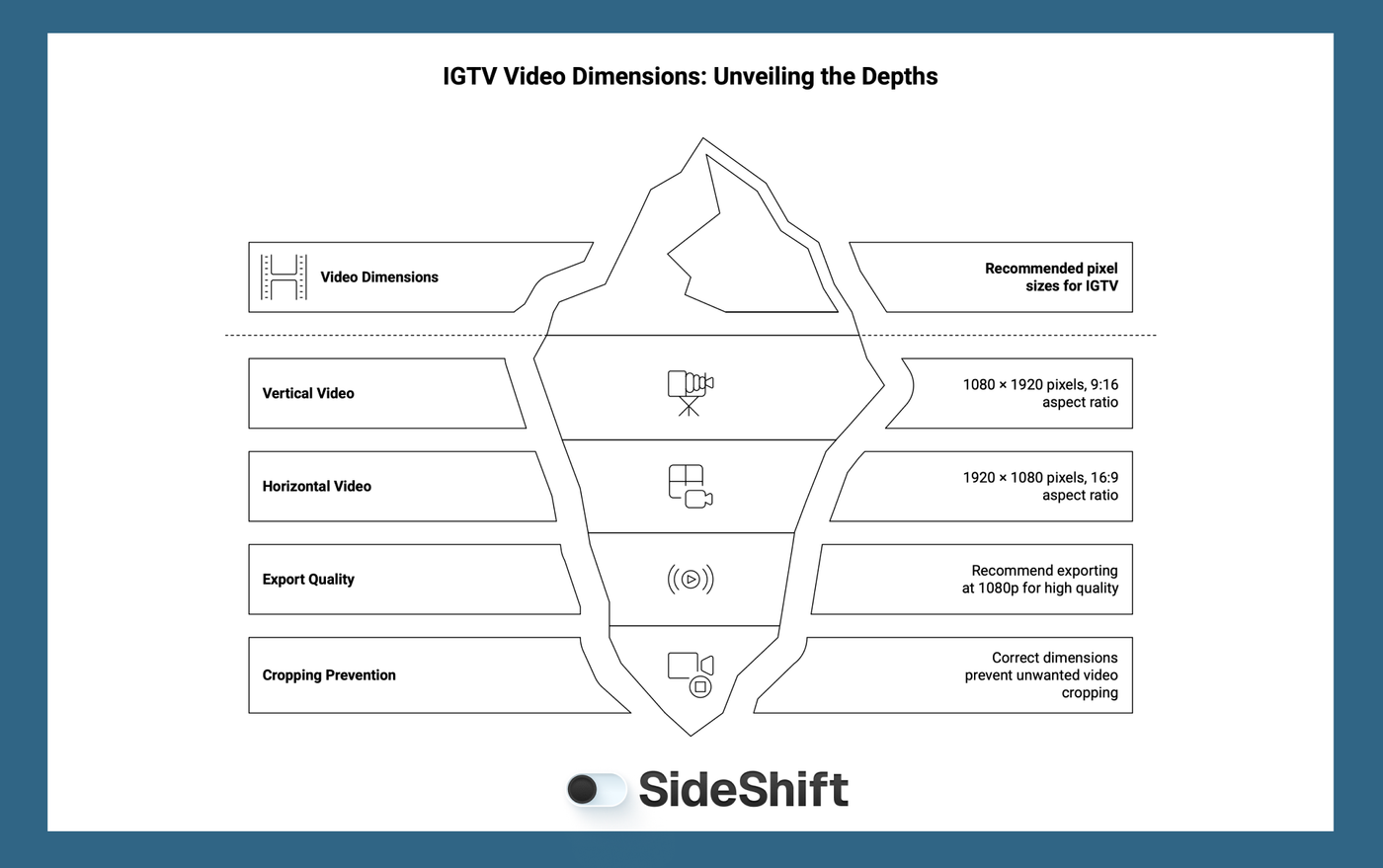
IGTV video dimensions depend on whether you’re uploading vertical or horizontal content. For vertical video, the recommended size is 1080 × 1920 pixels, which matches a 9:16 aspect ratio. This is the same vertical format you see in Stories and Reels, but scaled for longer playback.
If you’re uploading horizontal video, the ideal size is 1920 × 1080 pixels, which is a 16:9 aspect ratio. This format is best for content that feels more like traditional TV or YouTube-style viewing. Content creators don’t necessarily need to change up their content strategy to fit this new format. What works on the mobile app will also work on the TV app.
For both formats, Instagram generally recommends exporting at 1080p to keep quality high and avoid compression issues. Using the correct dimensions prevents Instagram from cropping or resizing your video, which keeps your content looking polished and professional across devices.
IGTV vs Reels vs Instagram for TV
IGTV was originally Instagram’s long-form video solution. The format launched in 2018 but was discontinued in 2022 as Instagram shifted toward short-form content. Now, Instagram is testing a new product built around short-form content reels optimized for big screens.
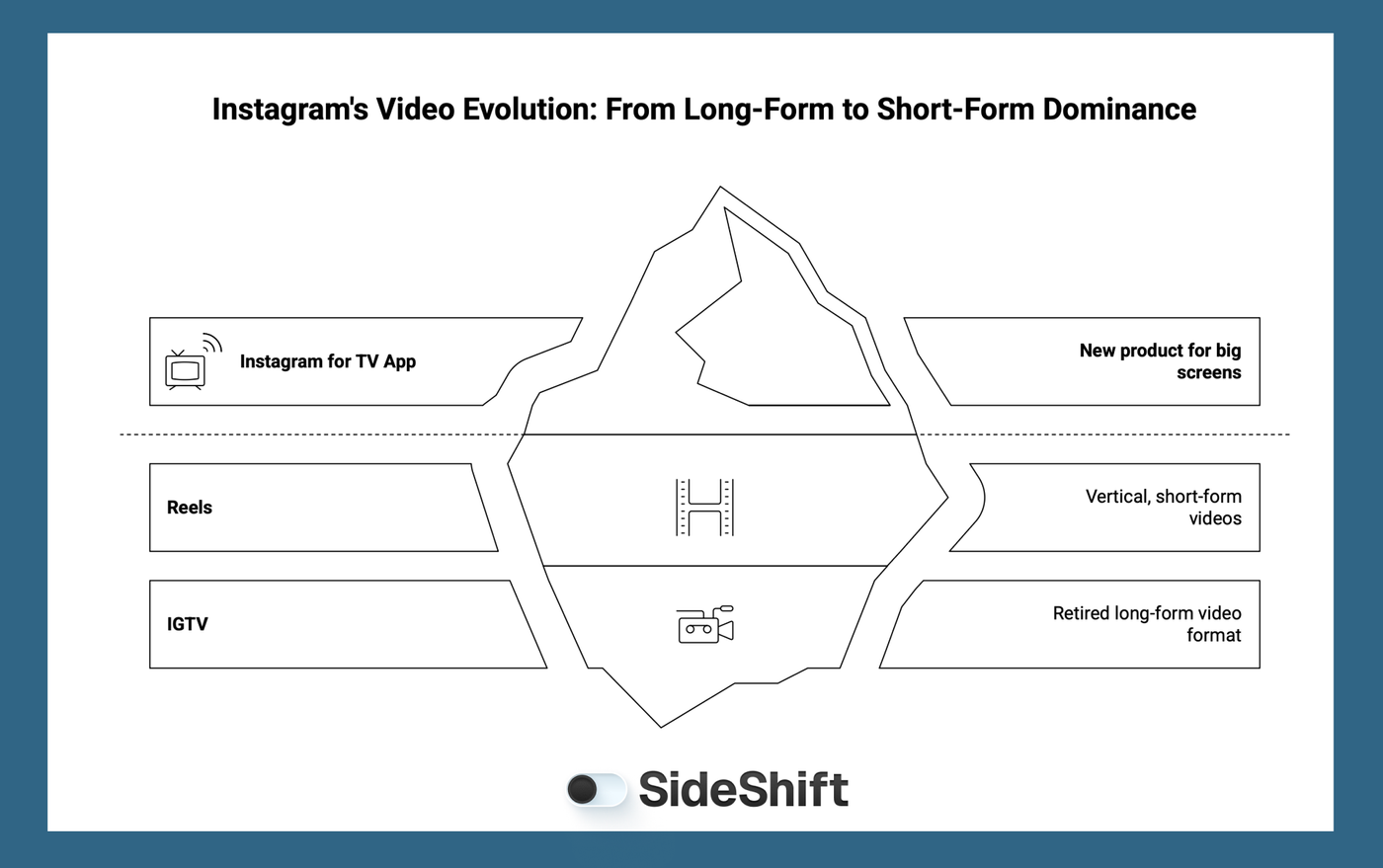
Here’s the breakdown of video content on Instagram:
- IGTV (2018-2022): Long-form video format, now retired.
- Reels: Vertical, short-form videos, also Instagram’s primary engagement driver and the core focus of the new IG for TV experience.
- Instagram for TV App (2026): A new TV-first product built around Reels and designed for big-screen viewing - currently beta testing and only available in select markets.
Want to put this into practice?
SideShift connects you with vetted UGC creators who actually deliver. Start your free trial and post your first job in under 10 minutes.
This new direction shows Instagram is aiming to expand short-form video beyond mobile screens and into living rooms, which could reshape how creators plan long-form content on the platform. So, if you want to create content optimized for the Instagram TV experience, the best approach is to first optimize your content strategy for Reels.
Scale Instagram Video Content With SideShift
Instead of depending on just one or two in-house creators, on SideShift you can recruit a team of Gen Z creators who already know what performs on Instagram and can deliver content in optimized dimensions and formats.
That means you get a steady stream of ready-to-post video, whether you need vertical clips for mobile or horizontal footage for TV-style viewing. SideShift helps brands manage the entire workflow for UGC campaigns in one place, from posting jobs and recruiting creators to approvals, contracts, and payments. You can move faster, test more ideas, and keep your content pipeline full without adding more overhead on SideShift.
For creators, SideShift is a place to connect with brand opportunities and get paid for the content you already enjoy making.
Try SideShift for free today and scale your video content faster.
FAQs
1. What video dimensions should I use for long-form Instagram uploads?
Instagram favors short form content in the form of Reels. You can post long form video content, however reels over 3 minutes won't be recommended to new audiences. Use 1080×1920 for vertical or 1920×1080 for horizontal, and export at 1080p to prevent compression and keep playback quality high.
2. Is vertical video required for Instagram long-form content?
No. Vertical is best for mobile-first viewing, but horizontal 16:9 is also supported and often works better for TV-style or cinematic content.
3. Why does my video get cropped when I upload it?
Cropping happens when your video doesn’t match Instagram’s recommended dimensions or aspect ratio. Uploading at the correct size and keeping important visuals away from the edges helps prevent this.
4. How can I make long-form video feel native to Instagram?
Keep your edits tight, use mobile-friendly framing, and follow the recommended aspect ratios. If you’re planning to repurpose content for Reels and TV viewing, create a version in both vertical and horizontal formats to maximize reach.
5. How can SideShift help me produce long-form video content?
SideShift connects brands with Gen Z creators to produce high-volume, platform-native video content. If you need consistent, high-quality UGC video assets, SideShift makes it fast and scalable.